
Brings back the classic Windows Photo Viewer
Classic 7 Photo Viewer
Classic 7 Photo Viewer brings back the fast, no-nonsense Windows Photo Viewer you remember — as a proper "Open with" choice on Windows 11.
The classic viewer never left your PC; Windows just stopped letting you pick it. This free app puts it back, registering itself as a file-type handler that opens your images in the built-in Windows Photo Viewer — no registry edits, no fuss.
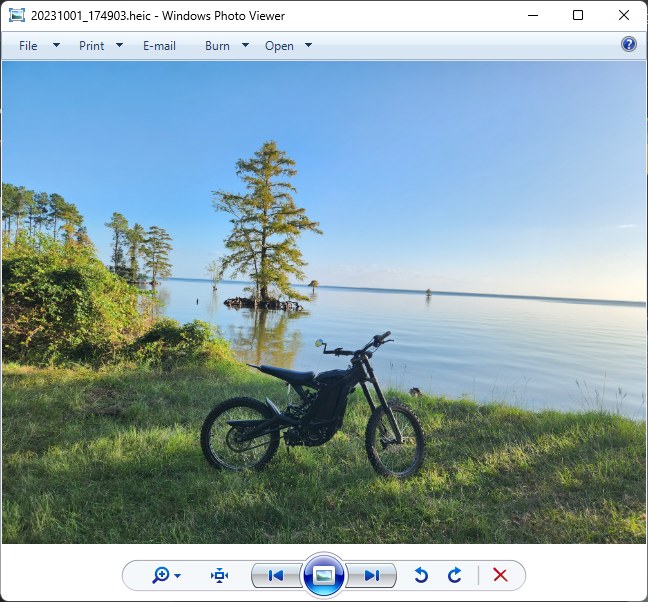
Simple and free
- One-click Open Image, or right-click any photo → Open with → Classic 7 Photo Viewer
- Set it as your default for any image type in Settings → Default apps
- Fast, clean, distraction-free viewing — the way it used to be
- Completely free, no ads
Opens what Windows already knows
- JPEG, PNG, GIF, BMP, TIFF, ICO
- JPEG XR (JXR, WDP, HDP)
- HEIC/HEIF, WebP, AVIF (with the matching free Store codec)
- RAW camera files (with Microsoft's free Raw Image Extension)
Brings back the classic Windows Photo Viewer
Brilliante Photo Viewer
HDR Photo Viewer
Photos, the way they were meant to look
View Ultra HDR, HEIC, motion photos, and iPhone ProRAW in vibrant, true-to-life colour — plus a brilliant glow-up for every ordinary photo.